
Keeping Your Internet & Home Phone Running During a Power Outage
📌 Important: Identify Your Connection Type
Backup power requirements depend on the technology delivering service to your home:
Connect Fiber (FTTH with Indoor ONT): Read our main guide below. Our fiber core network has battery/generator backup, so keeping your indoor ONT and router powered keeps your internet and phone working.
RFoG Fiber (Outdoor Node): Jump down to our RFOG Fiber Backup Section to learn how to power your outdoor node power pack, modem, and router.
Traditional Coaxial (Cable) Network: Jump down to our
Coaxial Cable Network Section
Keeping Your Internet & Home Phone Running During a Power Outage
During a power outage, your Fiber-to-the-Home (FTTH) internet connection generally remains fully active up to your home. All of our core FTTH network infrastructure—including our central offices, equipment hubs, and field nodes—is engineered with robust battery and generator backup power systems to keep the signal flowing.
As long as the event causing the outage hasn’t physically damaged or broken the fiber lines in your area, our network will stay up and running.
However, the equipment inside your house—specifically your Optical Network Terminal (ONT / fiber modem) and your Wi-Fi router—requires household electricity to function. If you lose power at home, your Wi-Fi, internet, and landline home phone service (if included with your fiber service) will go offline unless you have a local backup power source.
Recommended Solution: Portable Power Stations
To keep your home connected during an emergency, we recommend using a compact Portable Power Station.
Unlike standard uninterrupted power supplies (UPS) designed only for short graceful shutdowns, portable power stations use long-lasting battery technology to keep your essential equipment running through extended outages.
Why We Recommend Portable Power Stations:
Powers Everything: Keeps both your ONT and Wi-Fi router running simultaneously so all your devices (phones, laptops, smart TVs) stay connected.
Home Phone Backup: If you subscribe to our home phone service through fiber, keeping your ONT powered ensures your landline stays functional for emergency calls.
Plug & Play Setup: Simply plug your power station into the wall, and plug your ONT and router directly into the station.
Our Tested Recommendations
We have independently tested portable power options to find reliable, cost-effective solutions for our customers. We recommend two options depending on how much backup time you need:
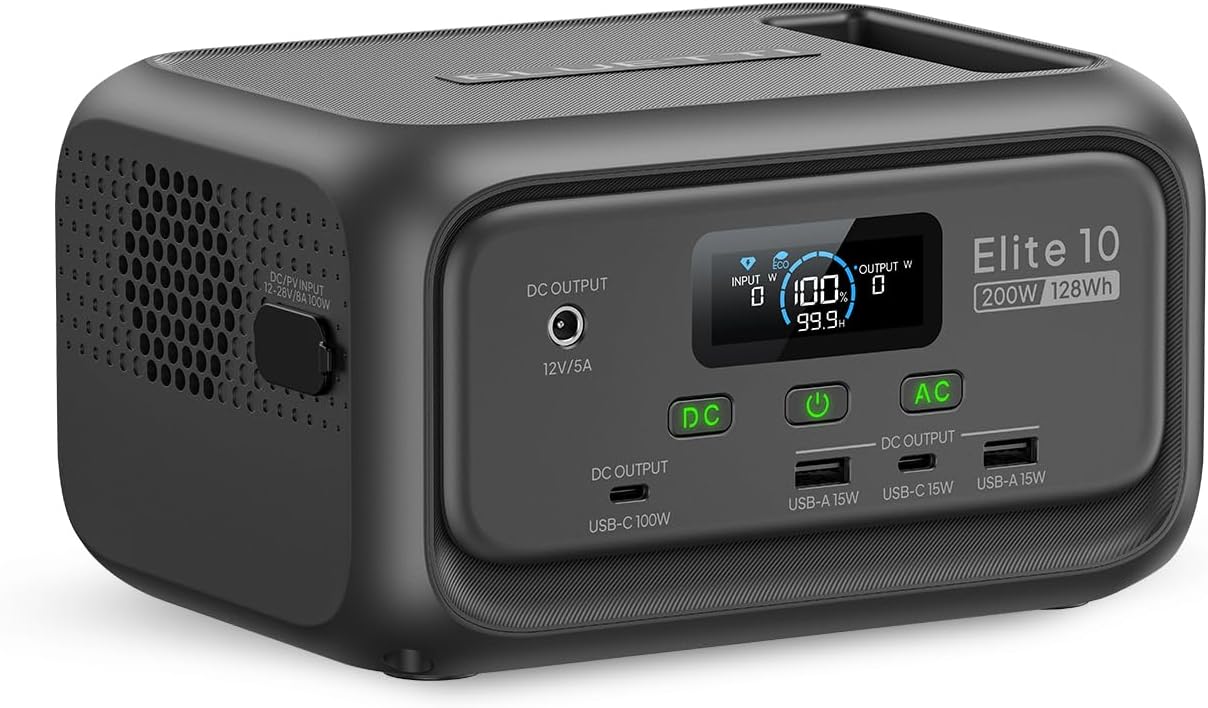
Standard Option: BLUETTI Elite 10
Run Time: Powers a standard ONT and Wi-Fi router setup for about 5 hours.
Best For: Short-to-medium power interruptions and everyday reliability.
Key Features: Compact, lightweight, durable LiFePO₄ battery cells rated for years of dependable use.
- A basic plug strip may be required to add more outlets.
As an Amazon Associate, Haefele Connect earns from qualifying purchases.
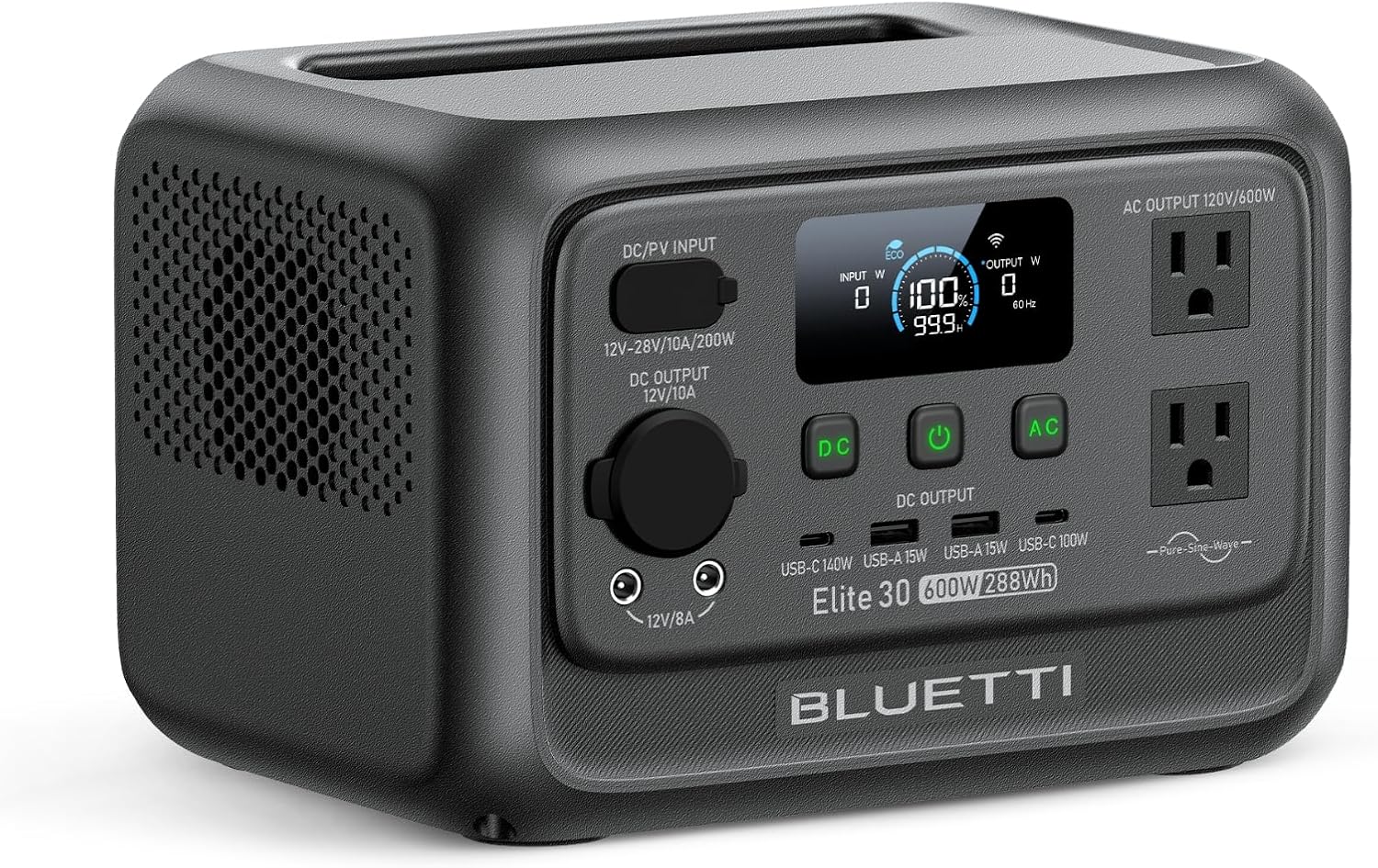
Extended-Run Option: BLUETTI Elite 30
Run Time: Provides extended backup time (significantly longer runtime for long outages or higher-power routers).
Best For: Customers in areas prone to longer outages who need continuous connection throughout the day or overnight.
Key Features: Greater battery capacity while maintaining a compact footprint and reliable pass-through charging capability. Includes WiFi for remote monitoring through the BLUETTI app.
As an Amazon Associate, Haefele Connect earns from qualifying purchases.
How to Set It Up
- Locate Your Equipment: Find your indoor ONT (the box where the fiber optic line enters your home) and your Wi-Fi router.
- Connect to the Power Station: Plug the power adapters for both the ONT and router into the AC outlets on your BLUETTI power station.
- The BLUETTI Elite 10 only has one power outlet so you may need a basic plug strip to plug in multiple devices.
- Plug into Wall Power: Connect the power station’s charging cable to your standard wall outlet.
- Turn on the Power Station: Power up the power station and turn on the AC output.
- Turn off ECO Mode: It is recommended to turn off ECO mode via the BLUETTI app in order to ensure the power station remains on all the time.
- Always Ready: Leave the unit plugged in so it stays fully charged and automatically supplies power the moment an outage occurs.
⚡ Are You on our RFoG Fiber Network?
If your home is on our RFoG (Radio Frequency over Glass) fiber technology, your setup includes a specialized optical node mounted to the outside of your home.
For your internet and landline phone service to remain working during an outage, all three of the following devices must remain powered:
- RFoG Power Supply / Injector: The small power adapter plugged into an outlet inside your home that feeds power out to the outdoor fiber node. A picture of an RFoG Power Supply can be seen here.
- Cable Modem / MTA: The device delivering your internet and phone signals.
- Wi-Fi Router: Your home wireless router.
RFoG Power Station Setup:
Simply plug the power adapters for all three devices (RFoG power pack, modem, and router) into your portable power station or Uninterruptible Power Supply (UPS). Because the RFoG power adapter draws very little electricity, a portable power station like the BLUETTI Elite 10 or Elite 30 will easily run all three components during a blackout!
📺 Customers on Our Traditional Coaxial (Cable) Network
If your service is delivered via our traditional coaxial cable network rather than fiber, backup requirements during a power outage are slightly different.
While keeping your home cable modem and Wi-Fi router powered using a battery backup or portable power station will maintain your local Wi-Fi network, your internet connection may still go offline during a power outage.
Why Coax Networks Behave Differently:
Active Field Amplifiers: Unlike our core Fiber-to-the-Home (FTTH) infrastructure, coaxial networks rely on neighborhood power supplies and active signal amplifiers installed on utility poles along the street.
Neighborhood Power Dependency: If a utility outage affects the power grid along your neighborhood street, those pole-mounted amplifiers may lose power. Even if your home has electricity or generator power, the signal to your home will stop until commercial power is restored to the neighborhood grid.
Recommendations for Coax Customers
- Short Outages & Local Wi-Fi: Powering your cable modem and router with a portable power station (like the BLUETTI Elite 10) will protect your equipment from brownouts and keep your internal home network running for smart devices or local file sharing.
- If Internet Connection Drops: If your modem stays powered on but the internet status light begins flashing or goes out, the neighborhood utility outage has affected the street equipment upstream. In this scenario, service will automatically restore once power returns to the local street infrastructure.
- Upgrading to Fiber: If uninterrupted internet during power outages is critical for your home or business, contact our support team to check if Connect Fiber (FTTH) is available at your address!